SocialBuzz Events
Venue Guide

How Your Venue Profile Works

Your venue profile is more than a page. It helps guests discover what you offer, follow your updates, view your events and specials, search by amenities, and keep coming back.

Step 1

Build a Strong Venue Profile

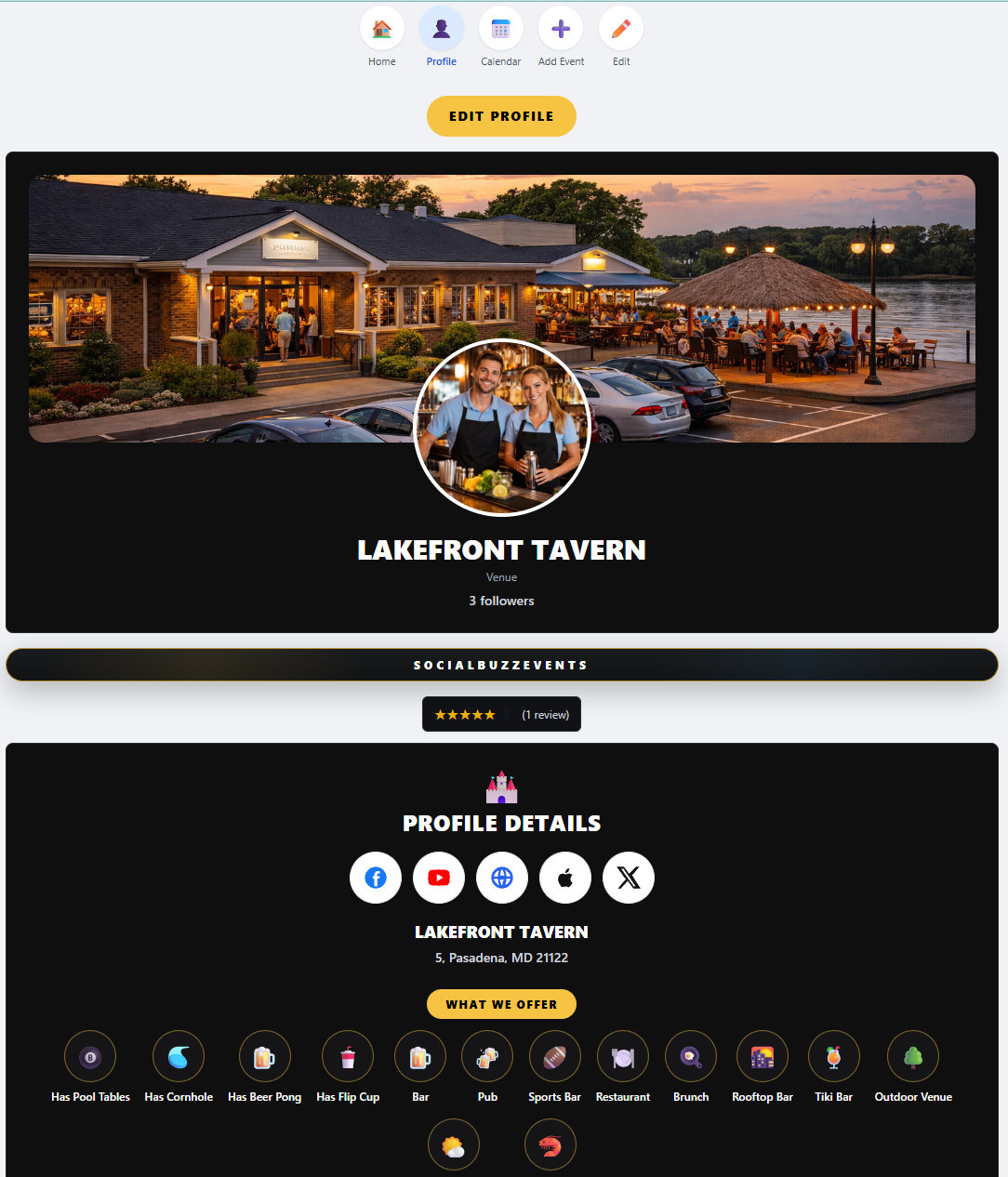
Start with a complete profile. Your cover photo, profile image, address, reviews, social links, and profile details help guests understand your venue fast.
Why this matters
A complete venue profile builds trust and gives guests a reason to follow you, visit your page, and come to your events.
๐ŸŸ๏ธ
Add a clear cover photo that shows your venue, outdoor area, stage, bar, dining room, or atmosphere.
๐Ÿ“ธ
Add a strong profile picture or logo so guests recognize your venue.
๐Ÿ“
Make sure your address, ZIP code, and profile details are correct.
โญ
Reviews help guests trust your venue and see what others enjoy.
๐Ÿ”—
Add social media and website links so guests can follow you everywhere.
Venue profile setup
Step 2

Select Everything Your Venue Offers

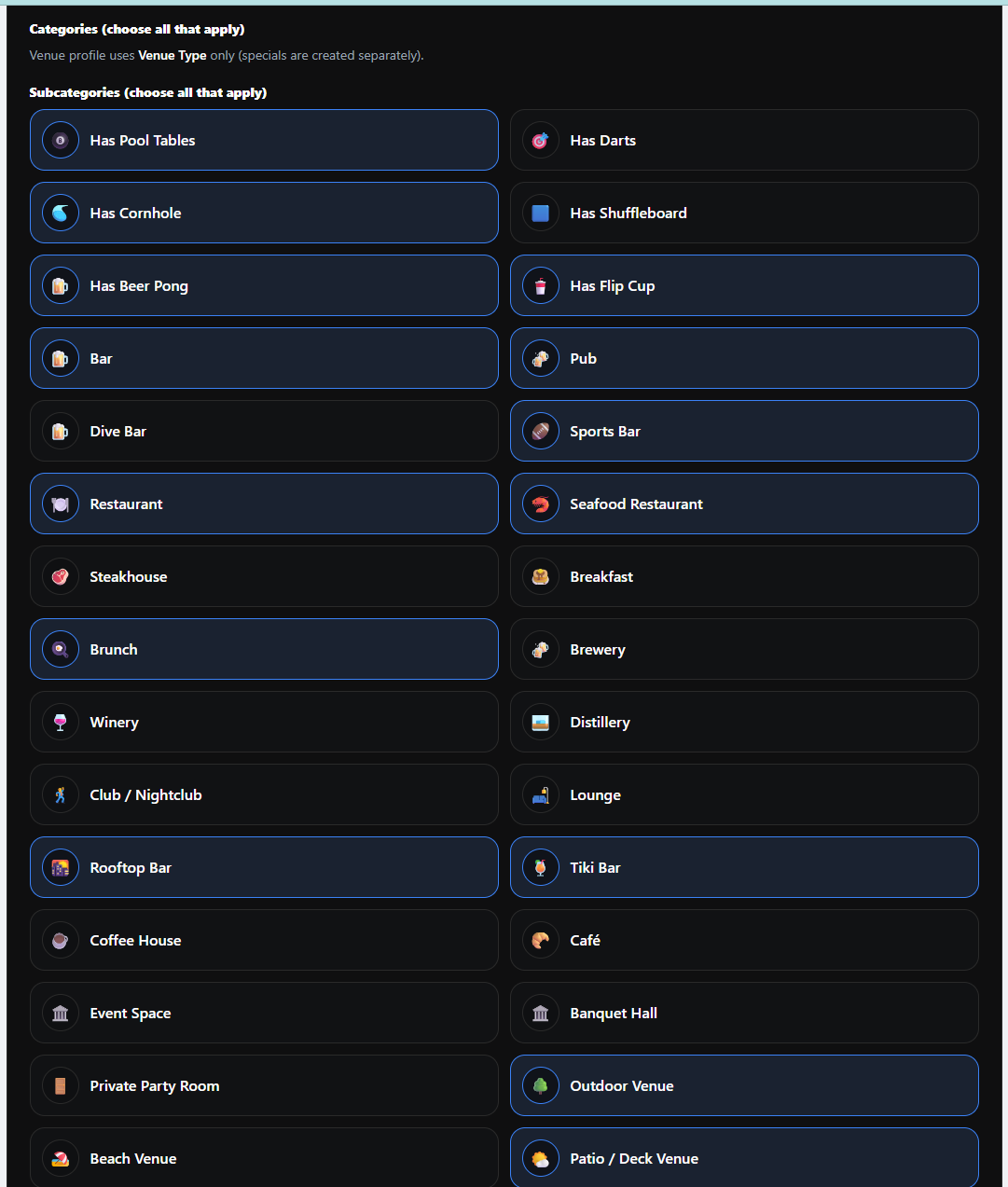
Your venue type and amenities are extremely important. These choices help your profile appear in the Profile & Amenities Search when users look for specific places and features.
Why this matters
If you offer it, click it. Amenities help guests find your venue when they search for things like pool tables, cornhole, tiki bar, rooftop bar, sports bar, patio, brunch, seafood, and more.
๐ŸŽฑ
Select amenities like pool tables, darts, cornhole, shuffleboard, beer pong, and other games.
๐Ÿป
Choose venue types like bar, pub, dive bar, sports bar, restaurant, brewery, winery, or lounge.
๐ŸŒด
Add features like rooftop bar, tiki bar, patio, deck, outdoor venue, beach venue, and private party room.
๐Ÿฝ๏ธ
Select food-related options like brunch, seafood restaurant, steakhouse, cafรฉ, breakfast, and more.
๐Ÿ”Ž
These selections help your venue appear in the Profile & Amenities Search engine.
Venue amenities search setup
Step 3

Add Photos, Videos, Menus, and Social Links

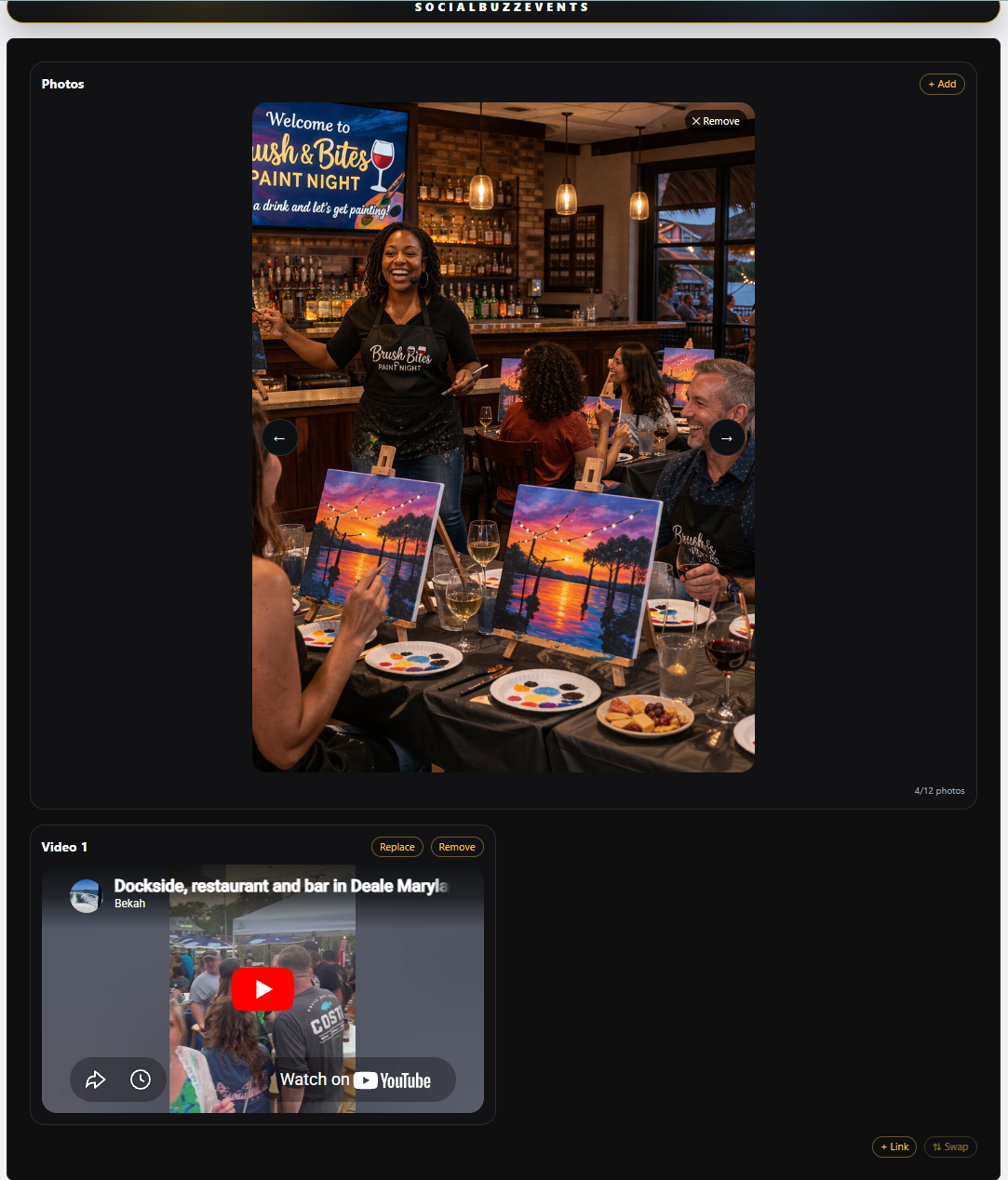
Guests want to see what your venue looks like, what the food looks like, what the crowd feels like, and what kind of experience they can expect.
Why this matters
The more helpful information you add, the easier it is for guests to choose your venue instead of somewhere else.
๐Ÿ“ธ
Add photos that show your food, drinks, stage, bar, seating, outdoor area, and atmosphere.
๐ŸŽฅ
Add videos to showcase live music, karaoke, trivia, events, crowds, and the venue experience.
๐Ÿ”
Upload clear menu photos so guests can quickly see what you offer.
๐Ÿ”—
Add a menu link if your full menu already exists on your website or another page.
๐Ÿ“ฒ
Add Facebook, Instagram, TikTok, YouTube, website, and other links so guests can connect with you.
Venue photos videos menu and social links
Step 4

Create Events That Bring People In

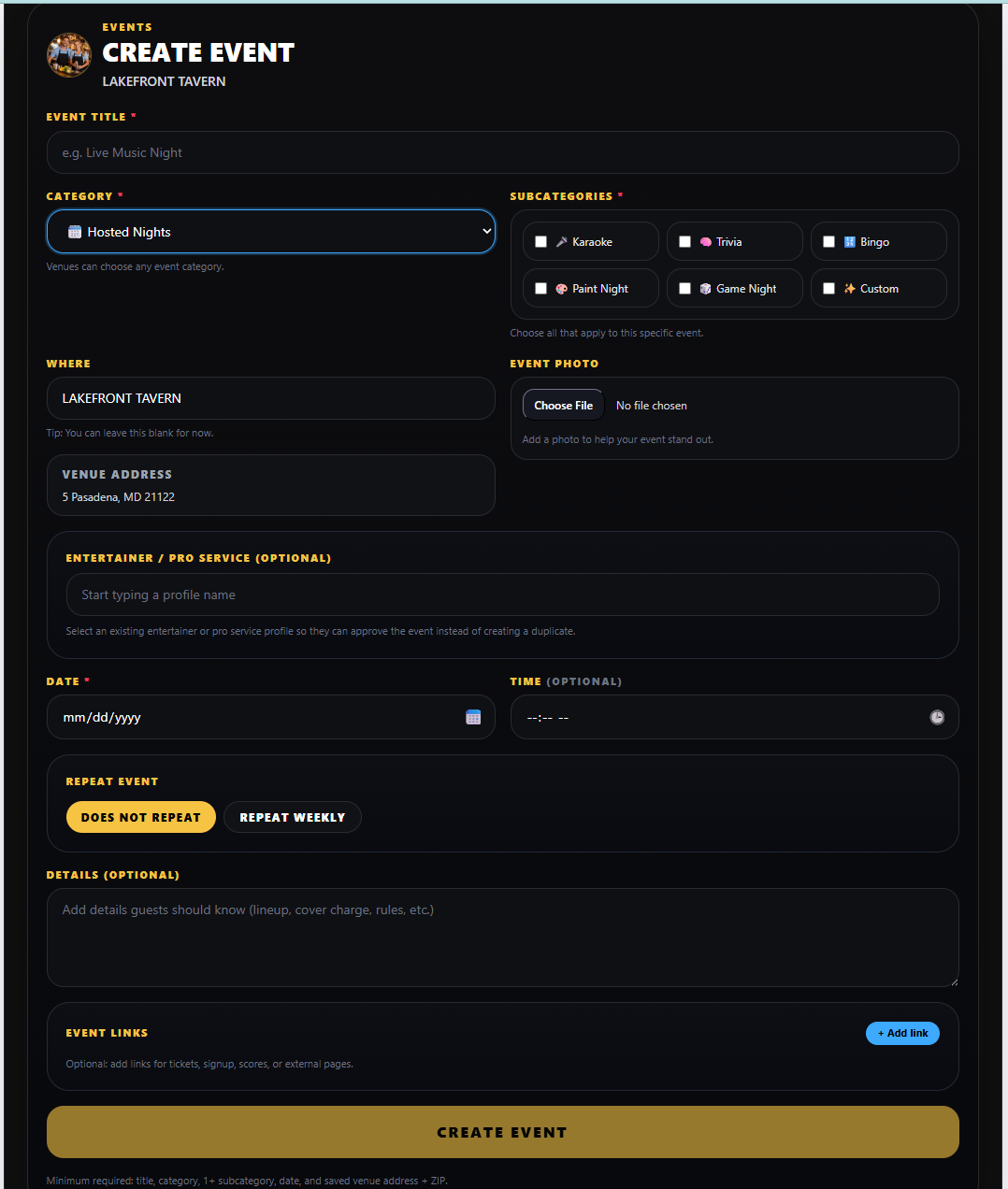
Events are one of the biggest ways your venue stays visible. Add weekly events, one-time events, live entertainment, tournaments, parties, and anything else guests should know about.
Why this matters
Every event you create can appear on your profile, your calendar, your upcoming events, followersโ€™ feeds, and the Events & Specials Search engine.
๐ŸŽค
Add one-time events like bands, DJs, paint nights, comedy, parties, fundraisers, and special shows.
๐Ÿ”
Use repeat events for weekly trivia, karaoke, open mic, bingo, tournaments, and recurring entertainment.
๐Ÿ“…
Events automatically help fill your calendar so guests can see what is coming up.
๐Ÿ“ธ
Add a strong event photo or flyer so the event stands out in feeds and search results.
๐Ÿค
If you connect an entertainer or pro service, they can approve it so the event appears on their side too.
๐Ÿš€
Posting more events creates more chances for followers and new guests to engage.
Venue create event form
Step 5

Create Specials That Keep Guests Coming Back

Specials help guests know why they should visit today, this week, or during a specific event. Add your recurring weekly specials and one-time specials so users always know what is happening.
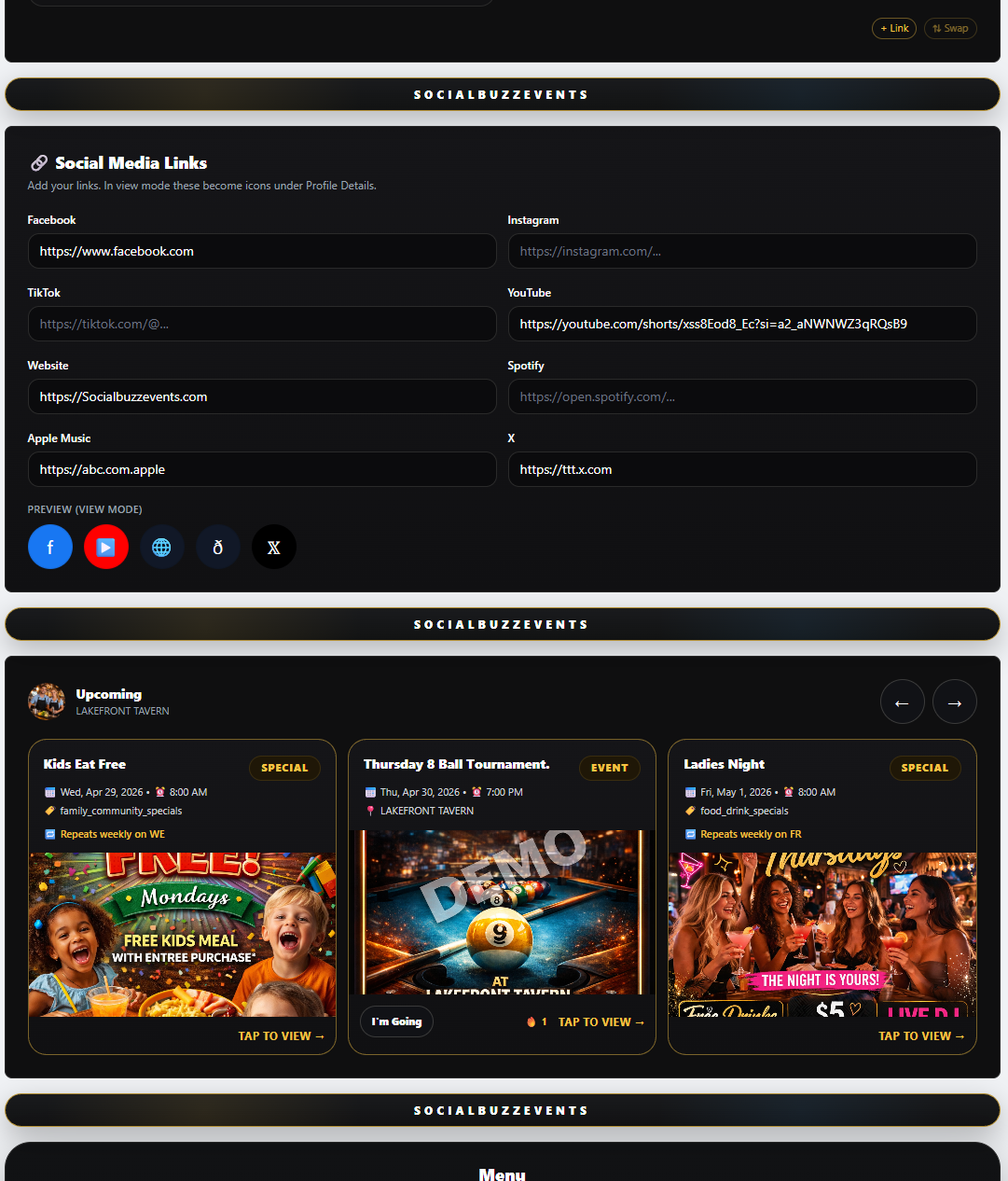
Why this matters
Specials appear across your profile, upcoming cards, follow feeds, calendar, and Events & Specials Search so guests can find deals before they choose where to go.
๐Ÿป
Add happy hour specials for every day you offer them.
๐ŸŒฎ
Add weekly specials like Taco Tuesday, Wing Night, Kids Eat Free, Ladies Night, brunch specials, and more.
๐Ÿ”
Use repeat weekly specials so you do not have to recreate the same deal every week.
๐Ÿˆ
Add one-time specials for game days, holidays, tournaments, fundraisers, and big local events.
๐Ÿ“ธ
Add a clear special photo or flyer to make the special stand out.
๐Ÿ“ข
The more specials you post, the more reasons followers have to check your page.
Venue create special form
Step 6

Use Your Calendar as the Source of Truth

Your calendar gives guests one place to see everything coming up at your venue. Events and specials you create can appear on your calendar, upcoming carousel, follow feeds, and search results.
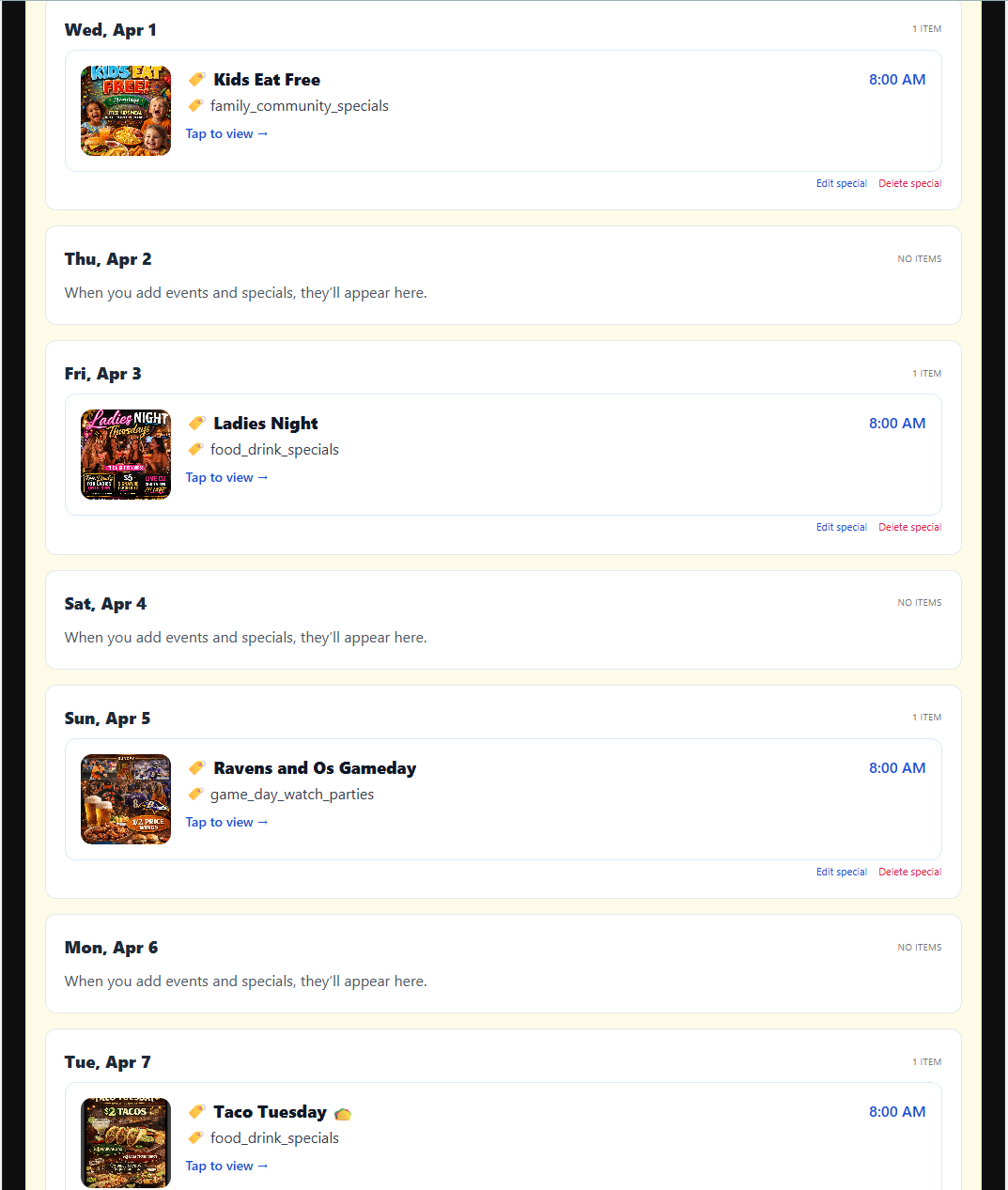
Why this matters
When your calendar is full and accurate, guests can plan around your venue instead of missing what is happening.
๐Ÿ“…
Guests can open your calendar to see upcoming events and specials.
๐ŸŽถ
Live music, DJs, trivia, karaoke, tournaments, parties, and fundraisers all belong on your calendar.
๐Ÿ”
Specials help guests decide when to visit and what deals are available.
๐Ÿ‘ฅ
Followers see your new events and specials in their personal feeds.
๐Ÿ”
New users can discover your events and specials through search.
๐Ÿ”ฅ
Keeping your calendar updated helps turn your profile into a real marketing tool.
Venue calendar and upcoming events
Coming Soon

Hiring, Gig Boards, and More Venue Tools

SocialBuzz is building more tools to help venues connect with entertainers, pro services, and local opportunities faster.
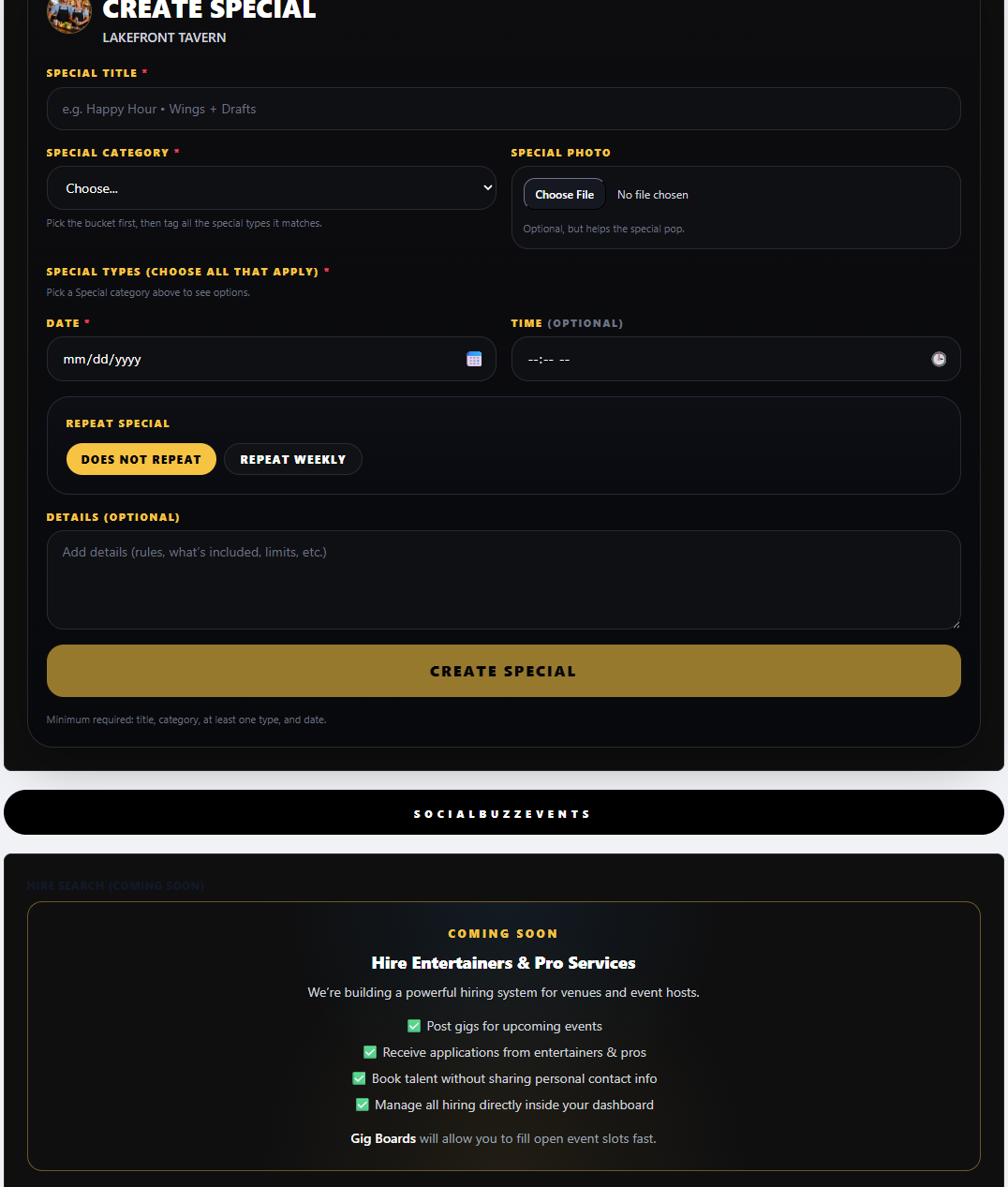
Why this matters
The goal is simple: make it easier for venues to fill calendars, find talent, promote events, and keep guests engaged.
๐Ÿ’ผ
Hiring tools will help venues find entertainers and pro services for upcoming dates.
๐Ÿ“Œ
Gig Boards will let venues post opportunities that paid profiles can search by area and date.
๐Ÿค
Connected event approvals help both the venue and entertainer show the same event on both profiles.
๐ŸŒ
Embed tools will let venues add interactive calendars and upcoming events to their own websites.
๐Ÿš€
SocialBuzz helps venues create once and show everywhere โ€” profile, calendar, feed, and search.
Venue hiring and gig boards coming soon
See What Other Profiles Do