SocialBuzz Events
Getting Started

How Your Entertainer Profile Works

This page will show entertainers exactly how to build their profile the right way, select everything they offer, create better events, connect with venues, grow followers, and use SocialBuzz Events to get discovered.

Step 1

Build Your Profile (This Is Your First Impression)

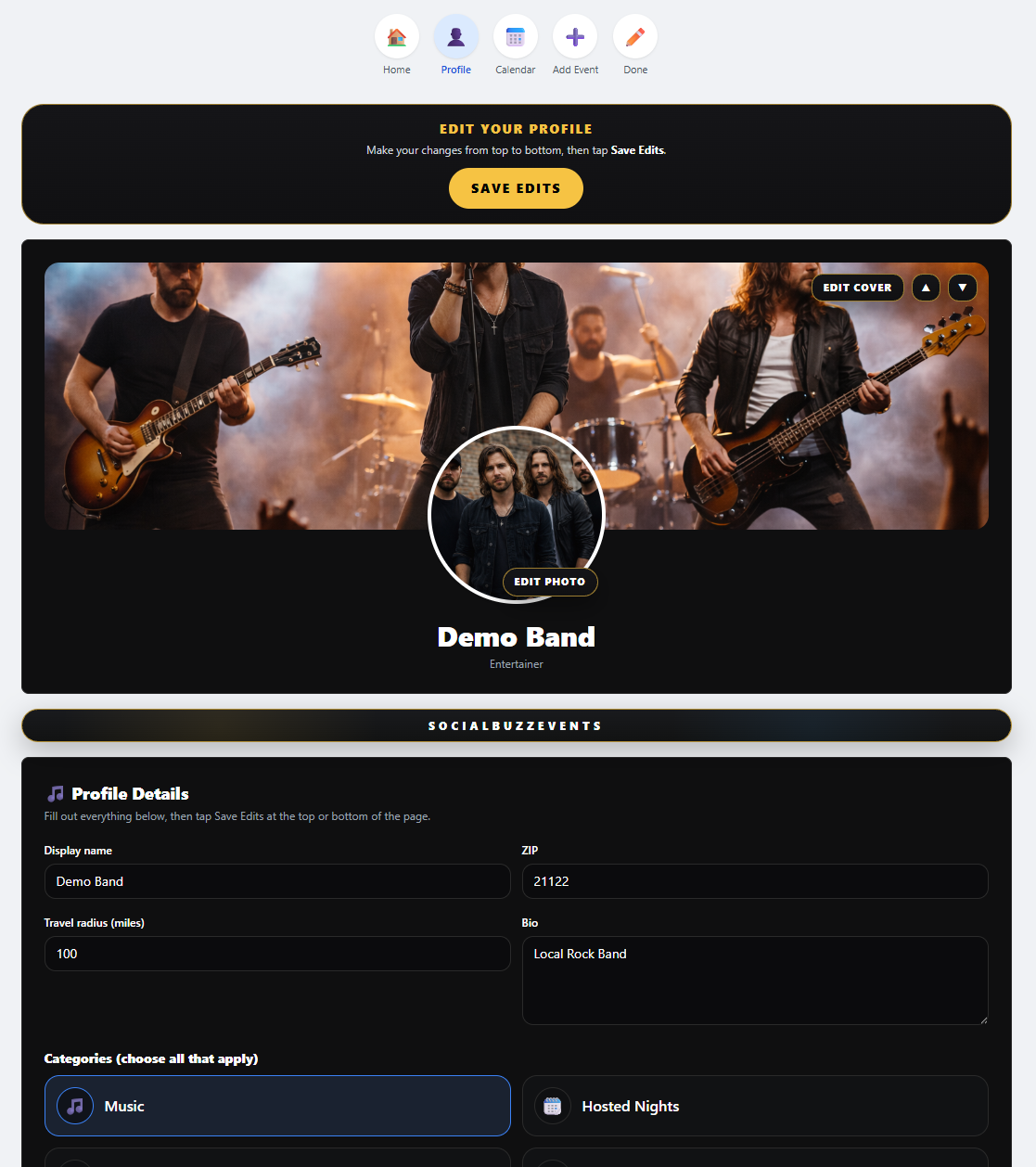
Your profile is the foundation of everything on SocialBuzz Events. This is what users see when they click your page, and it determines whether they follow you, book you, or keep scrolling.
πŸ“Έ
Upload a strong profile photo so users instantly recognize you or your brand.
πŸ–ΌοΈ
Add a cover image that shows your vibe (live shows, crowd, setup, or branding).
πŸ“
Write a short bio that clearly explains what you do and what makes you different.
πŸ”—
Add your social media and music links so people can listen, follow, and share.
⚑
A complete profile = more clicks, more followers, and more opportunities.
Entertainer profile setup
Step 2

Select Everything You Offer (This Powers Search)

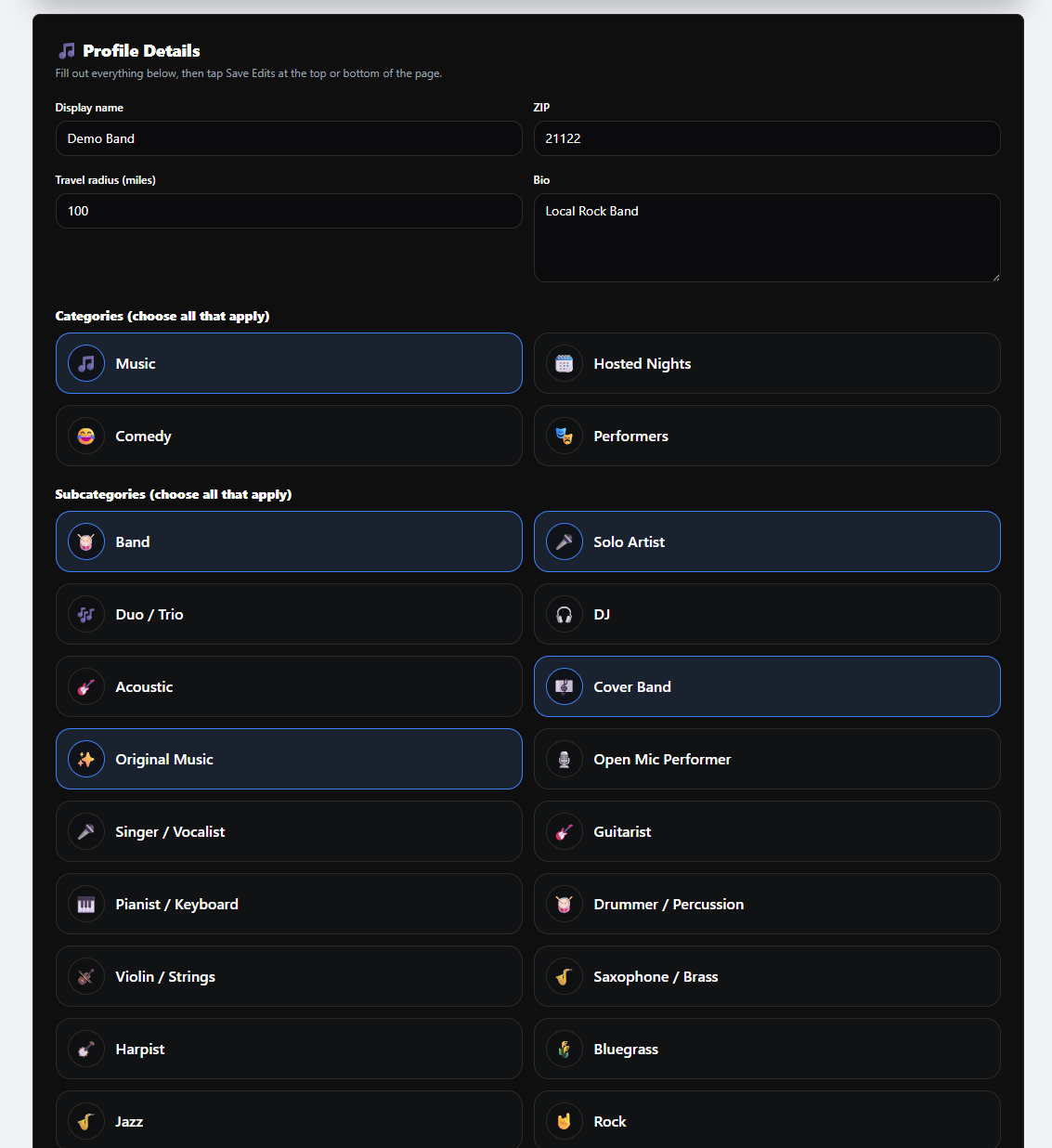
This is one of the most important parts of your profile. SocialBuzz uses your categories and subcategories to decide how users can find you in search and what options appear when you create events.
🎀
Select everything you actually do β€” band, solo artist, DJ, trivia, karaoke, and more.
πŸ”Ž
Your profile categories help users find you in search by what they are looking for.
πŸ“
Example: users can search things like β€œbands playing Friday near me” or β€œsolo artists within 25 miles on Saturday.”
πŸ—“οΈ
When you create an event, only the categories and subcategories you selected on your profile will appear in the event form.
βœ…
That means setting up your profile correctly makes your events more accurate and easier to find.
πŸš€
The more complete and accurate your profile setup is, the more chances you have to show up across SocialBuzz.
Entertainer category and subcategory setup
Step 3

Add Photos, Videos, and Social Media Links

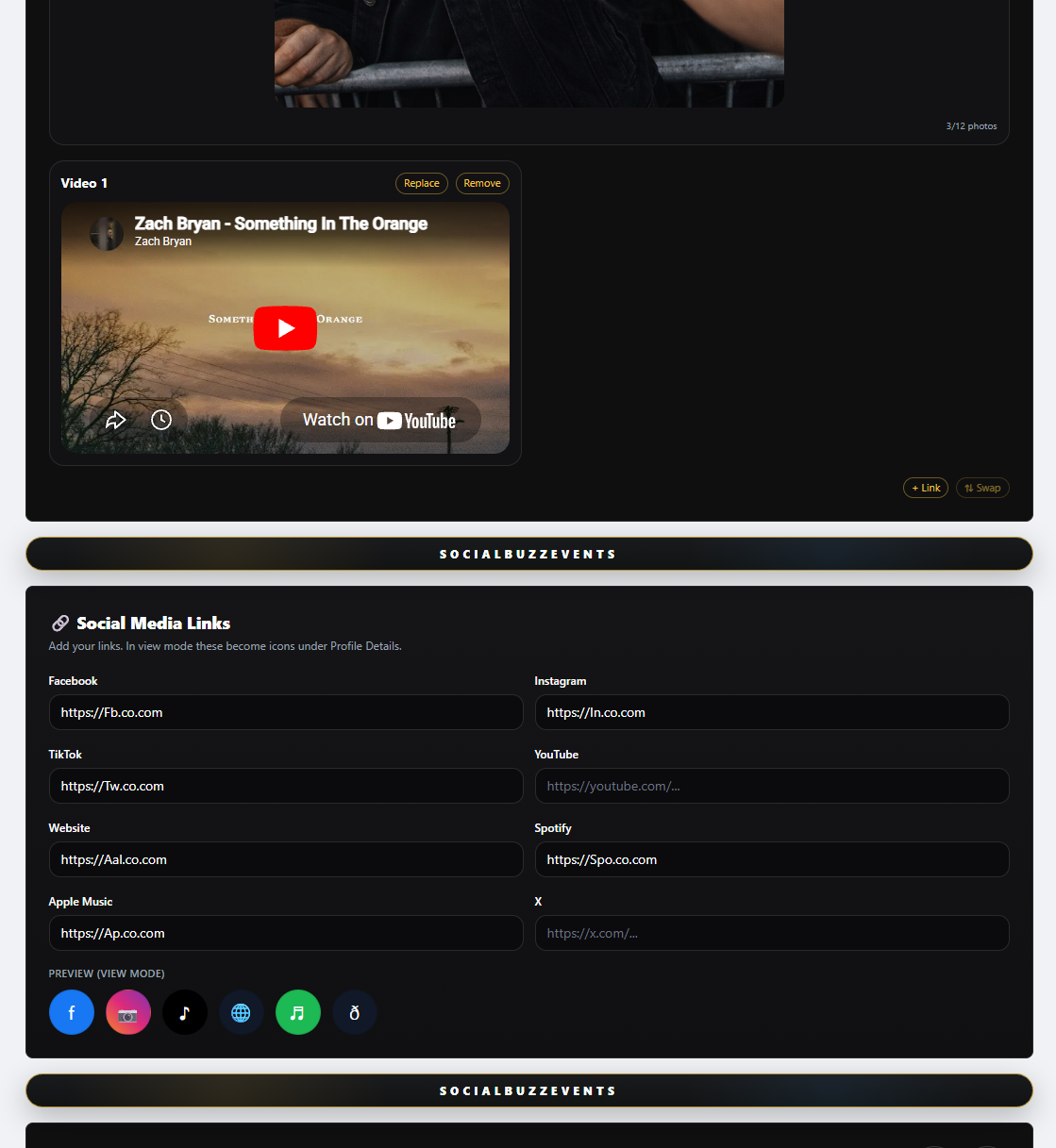
The stronger and more complete your profile is, the easier it is for people to follow you, remember you, and trust what you offer. Photos, videos, and social links help new users learn about you fast and help your current followers stay connected.
πŸ“Έ
Add photos so users can see your live shows, setup, crowd, and overall vibe.
πŸŽ₯
Add videos so people can hear and watch what you actually do before they follow or book you.
πŸ”—
Add your social media and music links so users can listen, follow, and share your page.
πŸ‘€
A fuller profile gives both new and existing followers more reasons to stay connected.
πŸš€
The more complete your page is, the faster you can grow your followers and stand out from other profiles.
Entertainer media and social links setup
Step 4

Create Events (This Is How You Get Seen Everywhere)

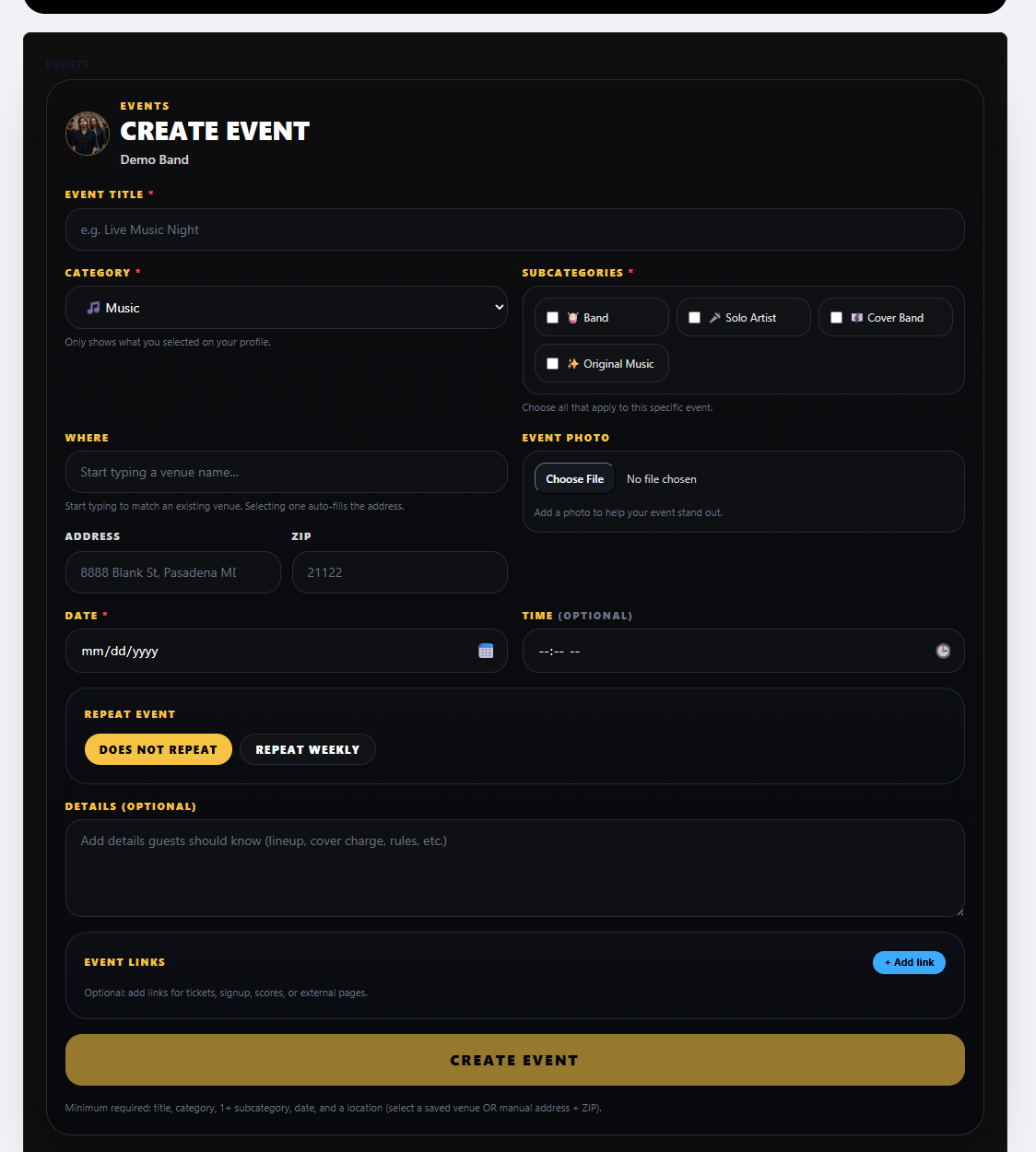
Events power your entire profile. Every event you create shows up across SocialBuzz Events β€” on your page, in search, in calendars, and in followers’ feeds. The more you post, the more visibility and engagement you get.
πŸ“
Add a clear event title so users instantly know what you're offering (Live Music, Trivia Night, DJ Set, etc.).
🎯
Choose the correct category and subcategory β€” this is how users find you in search (based on what you selected in your profile).
πŸ“
Connect to a venue if it exists β€” start typing the venue name to select it.
🀝
If the venue accepts your event, it will also appear on their page, calendar, and followers’ feeds.
πŸ“…
Your events automatically appear on your profile calendar and your public page.
πŸ”
Events show in search when users look for things like 'bands near me Friday' or 'DJ within 25 miles Saturday'.
πŸ‘₯
Your followers will see your events in their feed β€” every post keeps you in front of them.
πŸ“ˆ
The more events you create, the more engagement, followers, and opportunities you get.
Create event setup
Step 5

Build Trust With Reviews, Events, and Activity

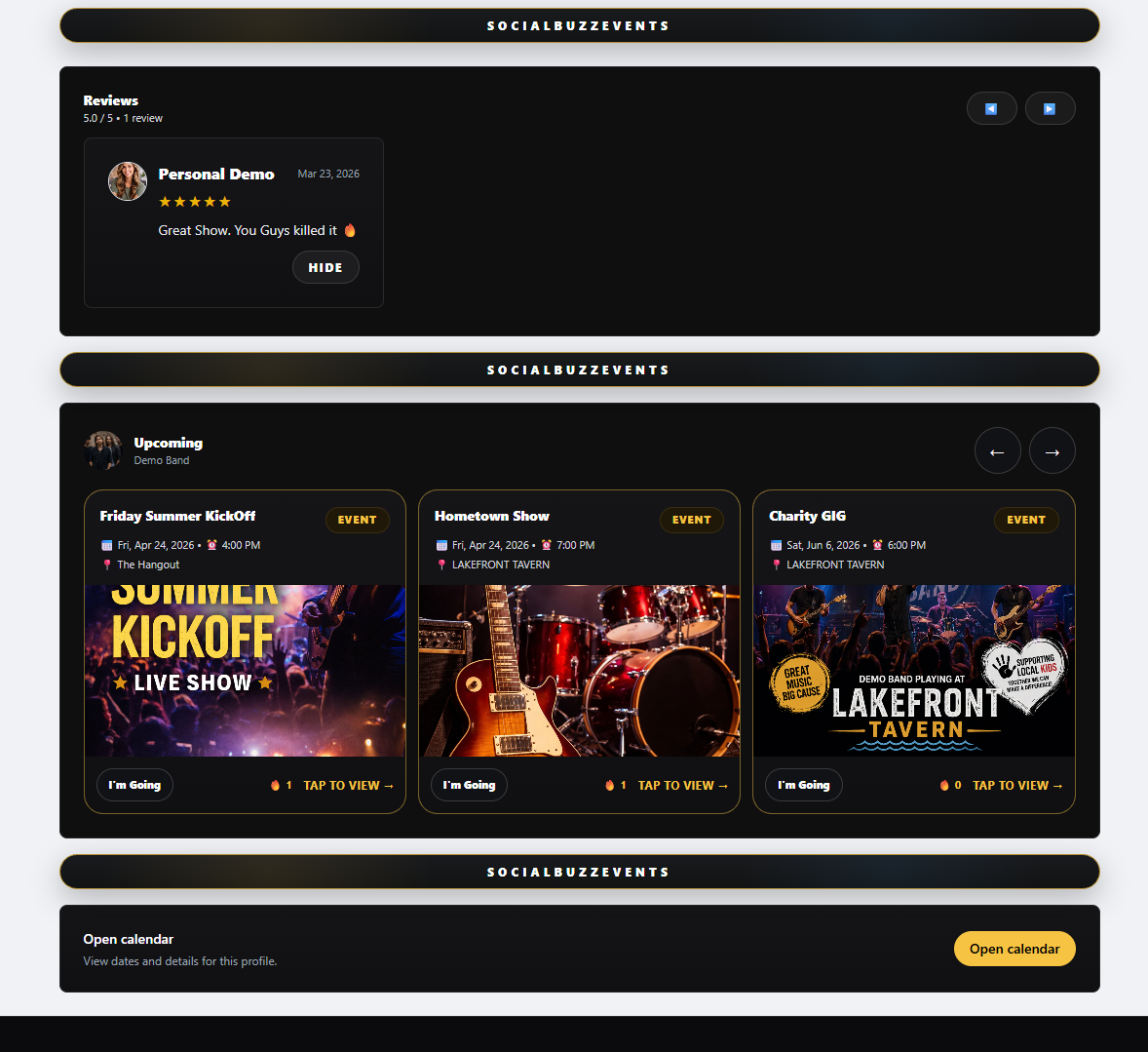
As you grow your following, positive reviews and active event posting help build trust. The more complete and active your profile is, the easier it is for users, venues, and followers to take you seriously and keep coming back.
⭐
Reviews from followers, personal users, and venues help show people that you are active, reliable, and worth booking.
πŸ”₯
Positive reviews make your profile stronger and help build trust faster with new users.
πŸ“…
Upload all of your events so followers and personal users can track where you are playing and go to your shows.
πŸ‘₯
The more active you are, the more chances followers have to engage with your page and stay connected.
πŸ™Œ
Users can see when they are going to your events, and views are planned for the future so you can track interest even better.
πŸš€
Strong reviews + active events + a complete profile = more followers, more engagement, and more opportunities.
Entertainer reviews and upcoming events
Coming Soon

Upgrade With Available for Hire, Gig Boards, and Embed Tools

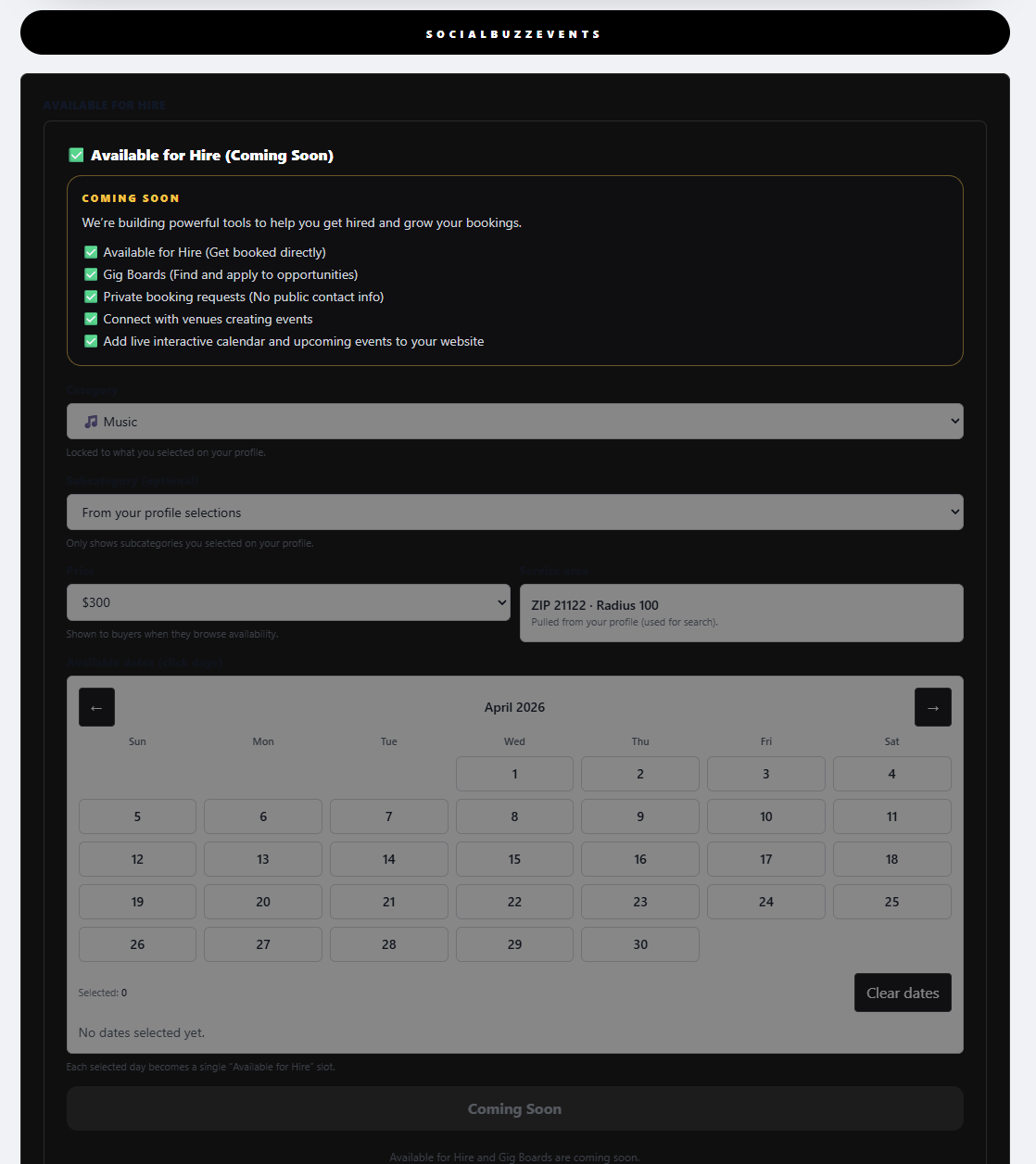
SocialBuzz Events already gives you a strong profile, events, followers, reviews, and search visibility. The upcoming upgrade gives entertainers even more tools to get booked, stay visible, and grow faster.
πŸ’Ό
Available for Hire lets you show exactly what you want to be hired for, set your availability, and get found by both personal users and venues.
πŸ“Œ
Gig Boards help you find new work in your area and apply for opportunities that match what you do.
🌐
Embed tools let you add an interactive calendar and upcoming events directly to your personal website.
🀝
Personal users and venues will be able to book and hire you through the platform more easily.
πŸ”
Unlimited hiring and booking tools help turn your profile into an active lead source, not just a page.
πŸ”₯
Lock in the upgrade for just $5 per month and keep that price for life.
Available for hire, gig boards, and embed tools coming soon
See What Other Profiles Do