SocialBuzz Events
Tournament Host Guide

How Your Tournament Host Profile Works

Your tournament host profile helps players and guests find your tournaments, follow your updates, view schedules, and keep track of what is coming up.

Step 1

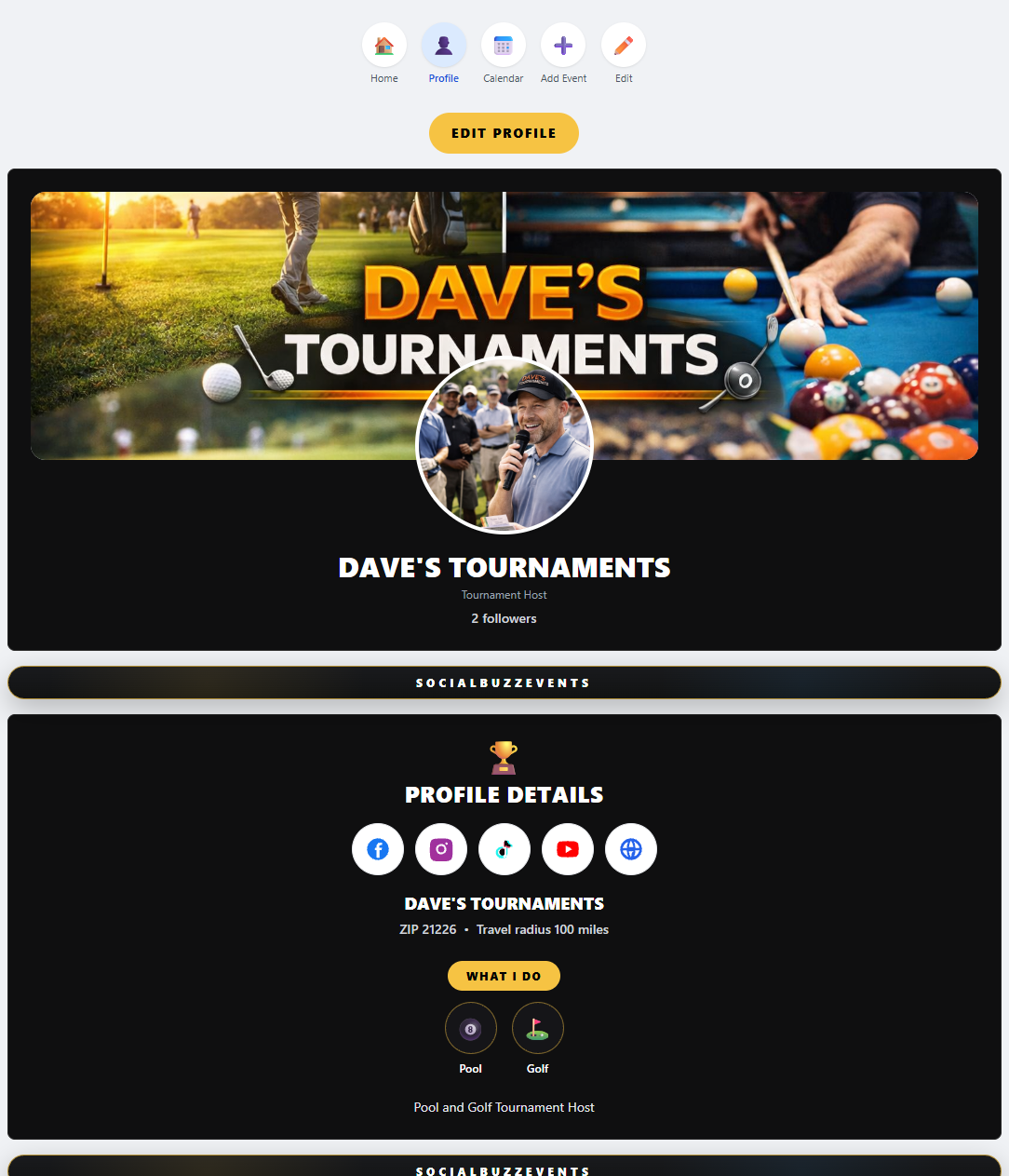
Build Your Tournament Host Profile

Your profile is your main page for players, guests, teams, and followers. Use it to show who you are, what you host, and where people can follow your tournament updates.
Why this matters
A complete profile helps players trust your tournaments and gives them one place to find your schedule, events, links, and updates.
🏆
Add a strong profile picture or logo so players recognize your tournament brand.
🖼️
Add a cover photo that shows the sport, venue, crowd, trophies, or tournament atmosphere.
📍
Add your ZIP code and service area so users can find tournaments near them.
📝
Write a short bio explaining what types of tournaments you host.
🔗
Add social media and website links so players can follow updates outside SocialBuzz too.
Tournament host profile setup
Step 2

Select the Tournament Types You Host

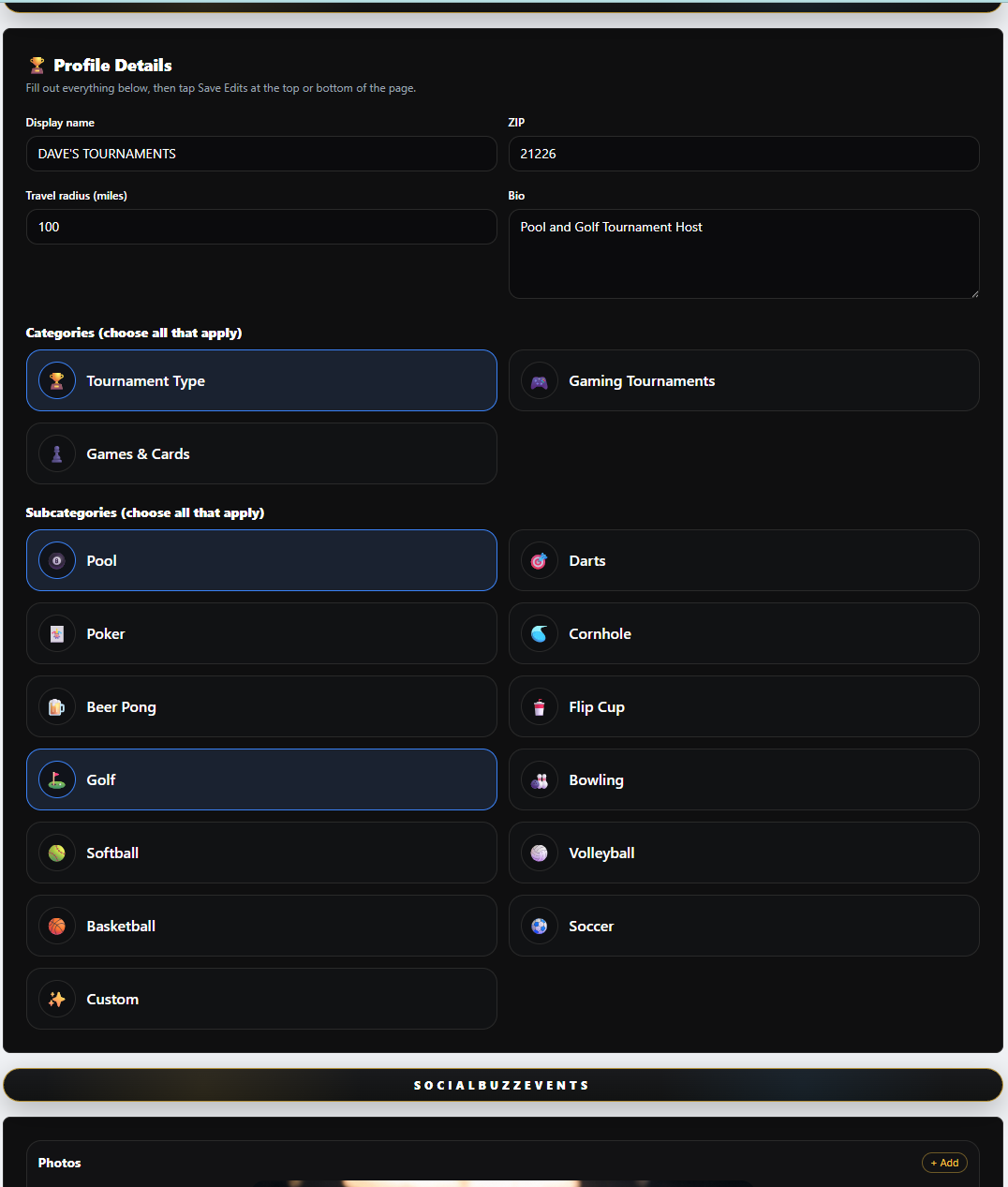
Choose every tournament type that matches what you offer. This helps users find your tournaments by sport, game, competition type, or activity.
Why this matters
Your selections help power search. If you host it, select it so players can find you.
🎱
Select tournament types like pool, darts, cornhole, golf, bowling, cards, gaming, and more.
🏆
Choose all subcategories that match your tournament style.
📍
Your ZIP and radius help users find tournaments near them.
🔎
Tournament categories help users search for the exact type of event they want.
🚀
The more accurate your setup is, the easier it is for players to discover you.
Tournament host categories
Step 3

Create Tournaments and Events

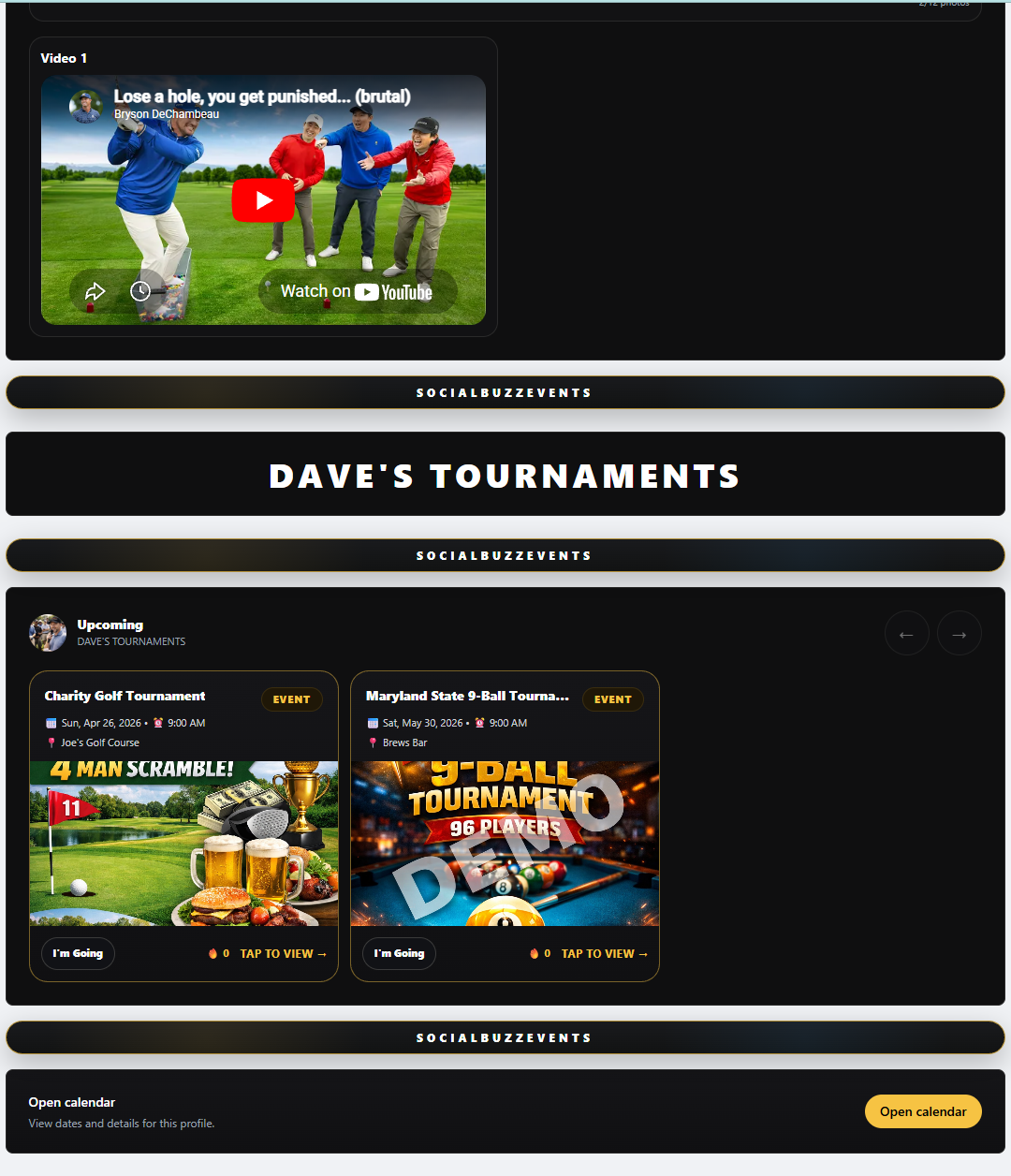
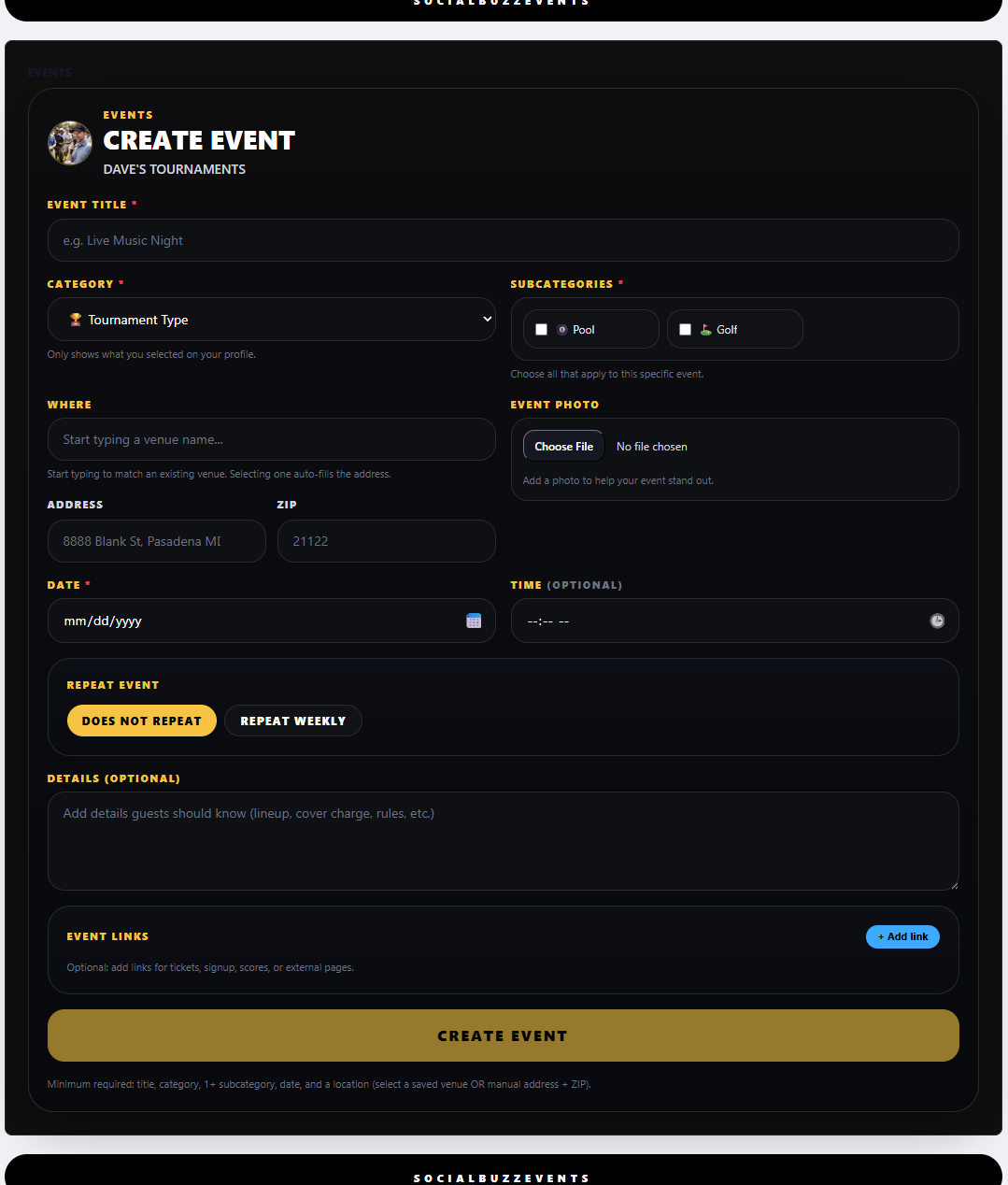
Add every tournament, league night, signup event, fundraiser, or special competition so players can see what is coming up.
Why this matters
Every event you create can appear on your profile, calendar, follow feeds, and Events & Specials Search.
📅
Add tournament dates, times, locations, and details.
📝
Include rules, entry fees, payouts, signup instructions, and important notes.
📸
Add a flyer or photo so the tournament stands out.
🔁
Use repeat events for weekly leagues or recurring tournaments.
🔗
Add links for registration, brackets, tickets, scores, rules, or external signup pages.
📢
Posting tournaments consistently helps build followers and player turnout.
Create tournament event
Step 4

Use Links for Signups, Brackets, Scores, and Tickets

Tournament pages often need more than a date and time. Use event links to send players to registration, payment, brackets, rules, scores, or ticket pages.
Why this matters
Helpful links reduce confusion and make it easier for players to join, pay, check brackets, and follow results.
🔗
Add signup or registration links.
🎟️
Add ticket or entry fee links when needed.
📊
Add bracket, score, standings, or rules links.
📲
Link to Facebook events, websites, forms, or external tournament pages.
Clear links make your tournament easier to run and easier for players to understand.
Tournament event links
Step 5

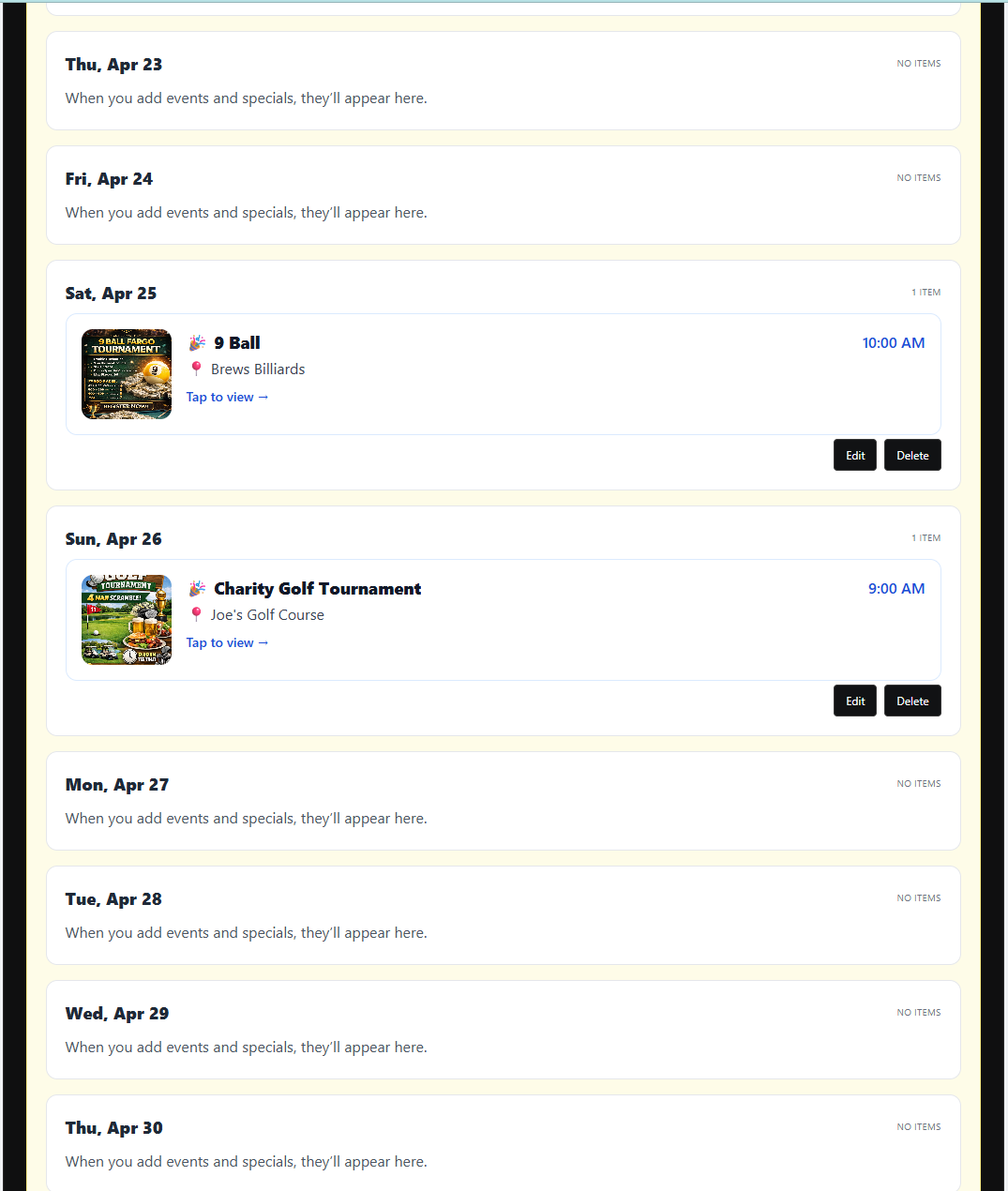
Keep Players Updated Through Your Calendar

Your calendar gives players one place to see all upcoming tournaments and events. It helps reduce missed events and keeps your followers informed.
Why this matters
A full, accurate calendar makes your tournament profile useful and keeps players coming back.
📅
Show upcoming tournaments and events in one place.
👥
Followers can see your tournaments in their personal feed.
🔎
New players can discover your tournaments through search.
📌
Add every tournament early so players have time to plan and sign up.
🚀
A consistent calendar helps build repeat players and stronger turnout.
Tournament host calendar
Step 6

Grow Followers and Build Tournament Turnout

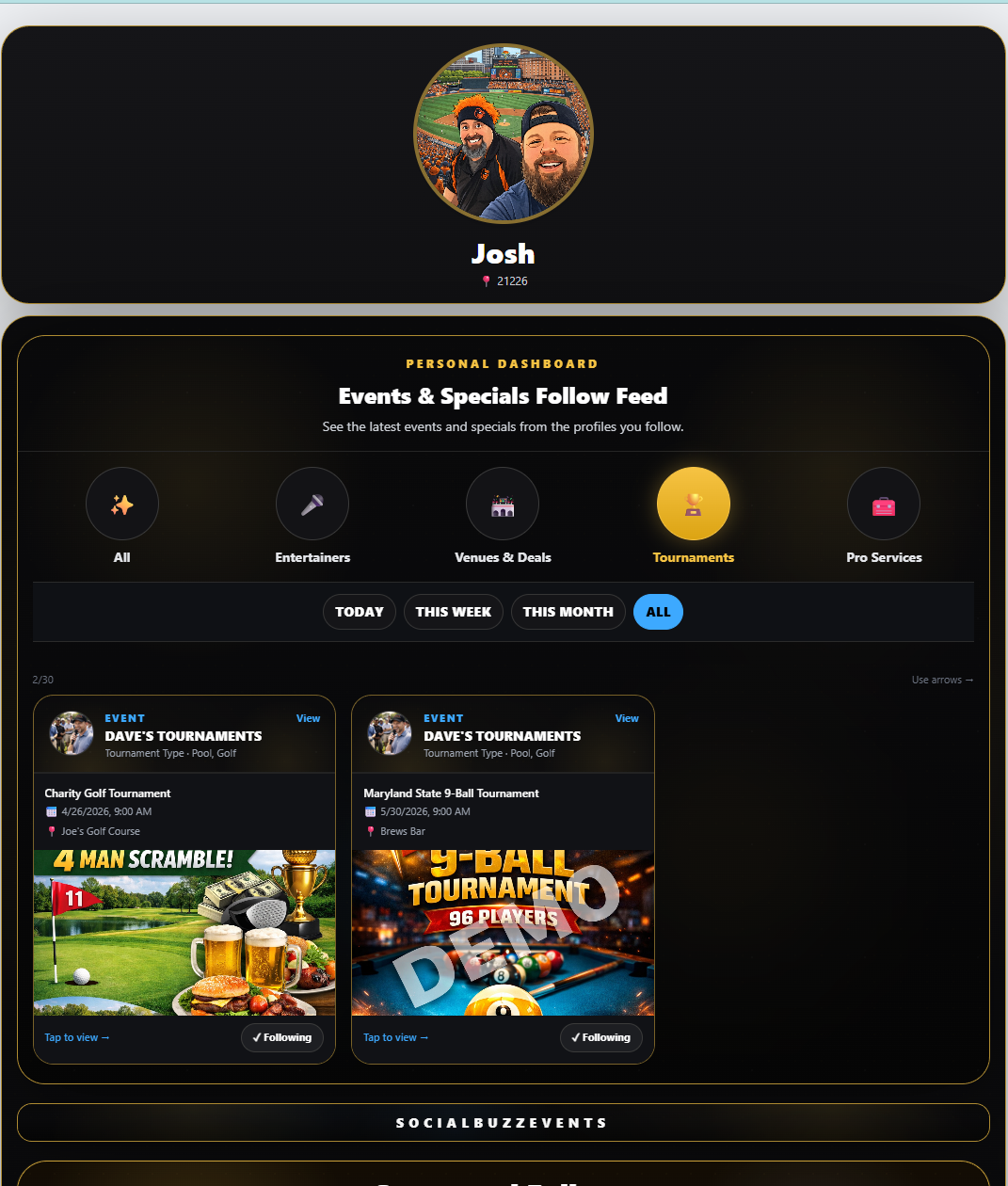
The more complete and active your profile is, the easier it is to build a following and bring players back for future tournaments.
Why this matters
Followers help turn one-time players into repeat players because they keep seeing your upcoming events.
Players can follow your tournament profile.
📢
Followers see your new tournaments and updates in their feed.
📸
Better flyers and photos help your events stand out.
🔥
Posting early helps players plan, share, and invite friends.
🏆
Positive reviews and active events help build trust over time.
Tournament followers and reviews
Coming Soon

More Tournament Tools Are Coming

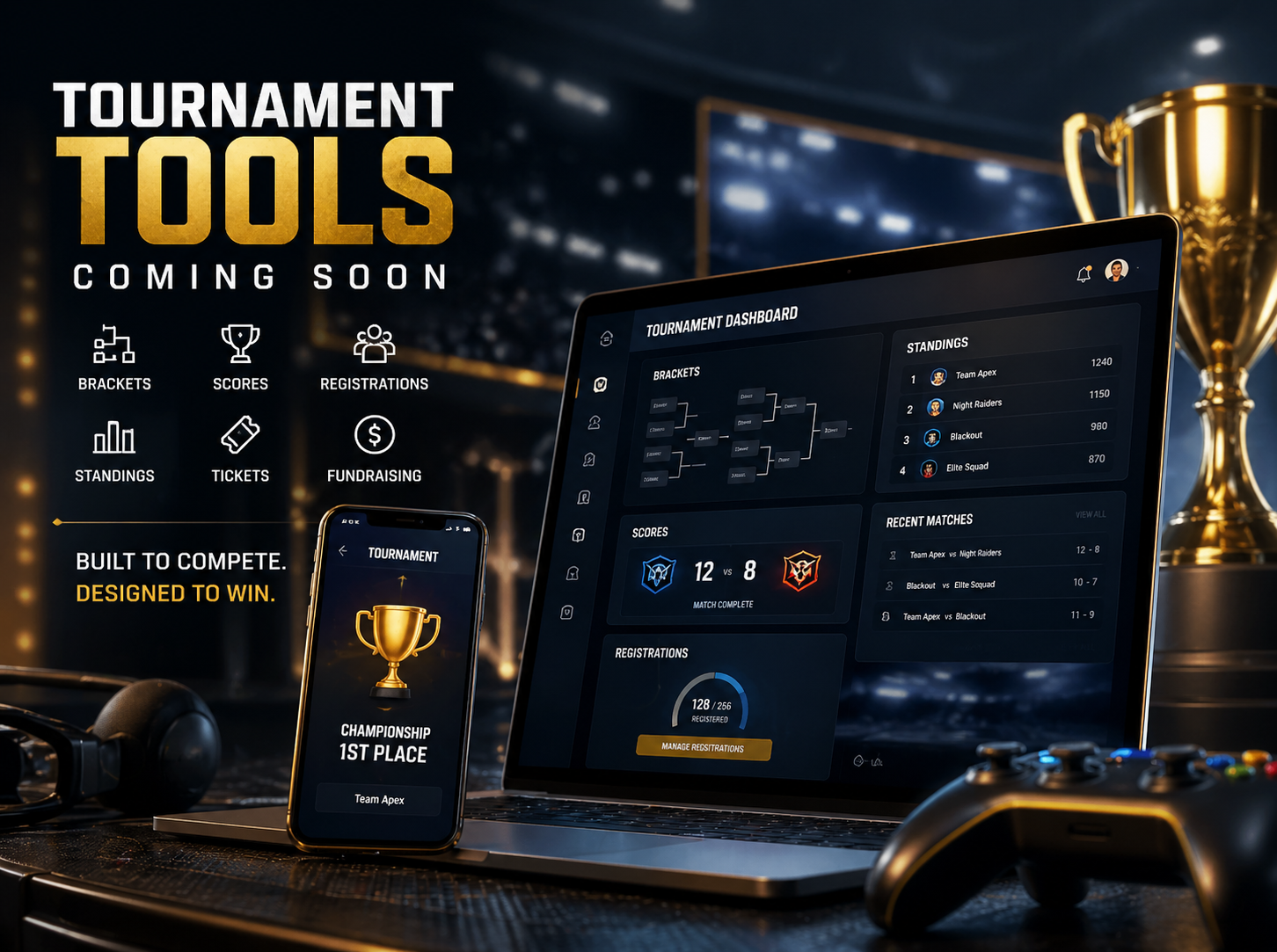
SocialBuzz can grow into a stronger tournament system with tools for brackets, pools, fundraising, scores, registrations, and more.
Why this matters
The goal is to help tournament hosts promote events, organize players, and grow local participation.
📌
Future tools may include brackets, score tracking, standings, and tournament pages.
🎟️
Registration and ticket links can help simplify signups.
💰
Fundraising tools can help teams, leagues, firehouses, and organizations raise money.
📍
Players will be able to search tournaments by area, date, and tournament type.
🚀
SocialBuzz helps tournament hosts create once and show everywhere.
Tournament tools coming soon
See What Other Profiles Do